HarmonyOS PC实战之PC 端聊天工具栏的 Flex 布局——固定按钮与弹性输入框的组合
2026/6/15 16:34:59
10分钟阅读

文章目录前言工具栏的四段结构完整代码alignItems Bottom 的作用发送按钮动态切换小结前言聊天工具栏是对布局要求最精细的 UI 之一左边附件按钮固定宽右边发送按钮也固定宽中间输入框弹性填满而且还得随文字增多自动增高但不能无限增高。PC 端的聊天场景还有额外的需求Enter 发送、ShiftEnter 换行、工具栏固定在底部不随内容滚动。这些用 Flex 弹性布局加上 ArkUI 的键盘事件处理实现起来比想象中简单。工具栏的四段结构四段左侧工具按钮组固定 弹性输入框 发送按钮固定。Row({space:8}){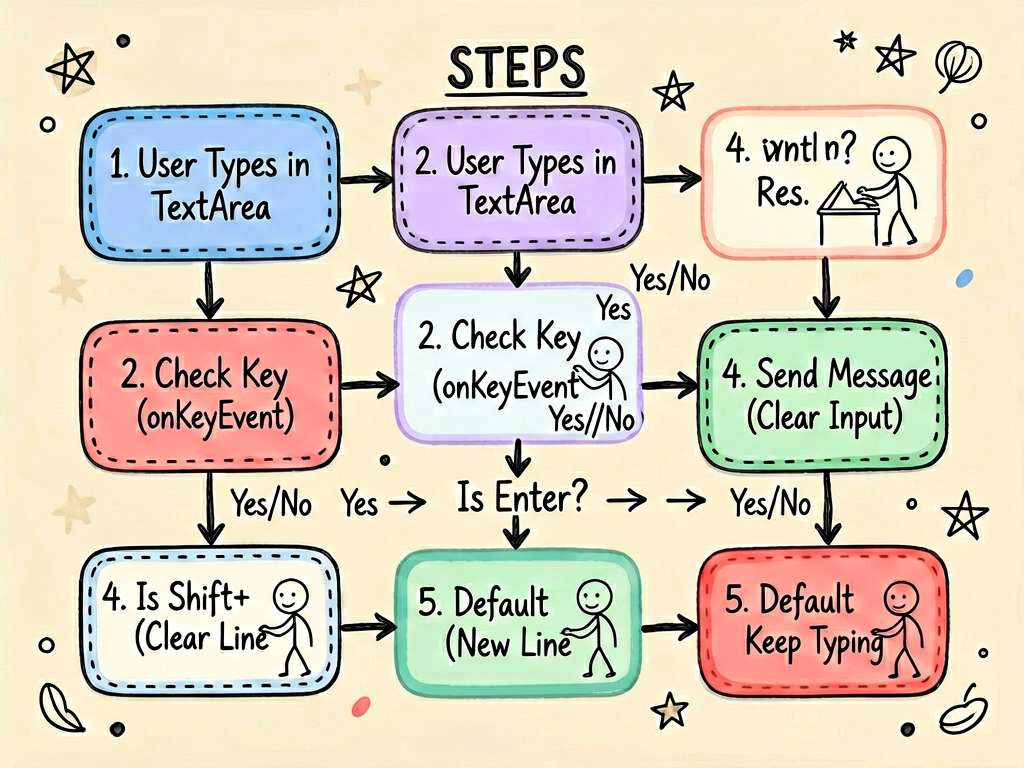// 左侧工具区固定Row({space:4}){Text().fontSize(20).onClick(...)Text().fontSize(20).onClick(...)}// 中间输入框弹性TextArea({placeholder:输入消息...}).layoutWeight(1).maxLines(4)// 右侧发送按钮固定Button(发送).width(64).height(36)}.width(100%).alignItems(VerticalAlign.Bottom)// ← 底部对齐输入框高了不影响按钮位置alignItems: VerticalAlign.Bottom让所有元素底部对齐——输入框增高时左右按钮保持在底部不会跟着移到顶部。完整代码interfaceMessage{id:numbercontent:stringisSelf:booleantime:stringtype:text|file|image}interfaceToolItem{icon:string,label:string}EntryComponentstruct PcChatToolbarPage{Statemessages:Message[][{id:1,content:你好请问HarmonyOS PC端的窗口拖拽怎么实现,isSelf:false,time:14:20,type:text},{id:2,content:你可以用onWindowSizeChange监听窗口大小变化然后用constraintSize设置最小尺寸。,isSelf:true,time:14:21,type:text},{id:3,content:那键盘事件怎么处理比如Enter发送ShiftEnter换行,isSelf:false,time:14:22,type:text},{id:4,content:在TextArea的onKeyEvent里判断event.keyCode 2054Enter键同时检查event.metaKey/shiftKey是否按下。,isSelf:true,time:14:22,type:text},{id:5,content:谢谢非常清楚,isSelf:false,time:14:23,type:text},]StateinputText:stringStateshowEmojiPanel:booleanfalseStateshowToolPanel:booleanfalseprivatescrollerRef:ScrollernewScroller()sendMessage(){if(!this.inputText.trim())returnconstnewMsg:Message{id:Date.now(),content:this.inputText,isSelf:true,time:${newDate().getHours()}:${String(newDate().getMinutes()).padStart(2,0)},type:text}this.messages[...this.messages,newMsg]this.inputTextthis.showEmojiPanelfalsethis.showToolPanelfalse}BuildermessageBubble(msg:Message){Row({space:10}){// 根据 isSelf 切换布局方向RowReverse 自己的消息if(!msg.isSelf){// 对方头像在左Text().fontSize(20).width(36).height(36).borderRadius(18).backgroundColor(#E5E7EB).textAlign(TextAlign.Center).alignSelf(ItemAlign.Start)}Column({space:2}){Text(msg.content).fontSize(14).fontColor(msg.isSelf?Color.White:#1F2937).padding({left:12,right:12,top:8,bottom:8}).backgroundColor(msg.isSelf?#3B82F6:Color.White).borderRadius(msg.isSelf?{topLeft:12,topRight:4,bottomLeft:12,bottomRight:12}:{topLeft:4,topRight:12,bottomLeft:12,bottomRight:12}).shadow({radius:4,color:#08000000,offsetY:2}).constraintSize({maxWidth:320}).lineHeight(20)Text(msg.time).fontSize(10).fontColor(#9CA3AF).alignSelf(msg.isSelf?ItemAlign.End:ItemAlign.Start)}.alignItems(msg.isSelf?HorizontalAlign.End:HorizontalAlign.Start)if(msg.isSelf){// 自己头像在右Text().fontSize(20).width(36).height(36).borderRadius(18).backgroundColor(#EFF6FF).textAlign(TextAlign.Center).alignSelf(ItemAlign.Start)}}.width(100%).justifyContent(msg.isSelf?FlexAlign.End:FlexAlign.Start).padding({left:16,right:16,top:6,bottom:6})}BuilderemojiPanel(){Flex({wrap:FlexWrap.Wrap,alignContent:FlexAlign.Start}){ForEach([,,,,,,,,,❤️,,✨,,,,],(emoji:string){Text(emoji).fontSize(24).padding(8).borderRadius(8).backgroundColor(Color.Transparent).onClick((){this.inputTextemoji})})}.width(100%).height(132).padding(8).backgroundColor(Color.White).border({width:{top:1},color:#F3F4F6})}BuildertoolPanel(){Flex({wrap:FlexWrap.Wrap,alignContent:FlexAlign.Start}){ForEach([{icon:,label:拍照},{icon:️,label:图片},{icon:,label:文件},{icon:,label:位置},{icon:,label:表格},{icon:,label:代码},{icon:,label:语音},{icon:,label:视频},],(tool:ToolItem){Column({space:4}){Text(tool.icon).fontSize(24).width(48).height(48).borderRadius(12).backgroundColor(#F3F4F6).textAlign(TextAlign.Center)Text(tool.label).fontSize(11).fontColor(#6B7280)}.flexBasis(25%).alignItems(HorizontalAlign.Center).padding({top:8,bottom:8}).onClick((){})})}.width(100%).padding(12).backgroundColor(Color.White).border({width:{top:1},color:#F3F4F6})}build(){Column({space:0}){// 顶部对话信息栏Row({space:12}){Text().fontSize(24).width(40).height(40).borderRadius(20).backgroundColor(#E5E7EB).textAlign(TextAlign.Center)Column({space:2}){Text(HarmonyOS 技术助手).fontSize(15).fontWeight(FontWeight.Medium).fontColor(#111827)Text(在线).fontSize(11).fontColor(#10B981)}.layoutWeight(1).alignItems(HorizontalAlign.Start)Row({space:8}){Text().fontSize(18).fontColor(#6B7280)Text(⋯).fontSize(18).fontColor(#6B7280)}}.padding({left:16,right:16,top:14,bottom:14}).backgroundColor(Color.White).width(100%).shadow({radius:4,color:#08000000,offsetY:2})// 消息列表Scroll(this.scrollerRef){Column({space:4}){// 日期分割Text(今天).fontSize(11).fontColor(#9CA3AF).padding({top:16,bottom:8})ForEach(this.messages,(msg:Message){this.messageBubble(msg)})}.width(100%).padding({bottom:16})}.layoutWeight(1).backgroundColor(#F9FAFB)// 工具栏底部固定Column({space:0}){// Emoji 面板展开时显示if(this.showEmojiPanel){this.emojiPanel()}// 工具面板展开时显示if(this.showToolPanel){this.toolPanel()}// 输入区Row({space:8}){// 左侧工具按钮Row({space:4}){Text().fontSize(22).fontColor(this.showEmojiPanel?#3B82F6:#6B7280).padding(6).onClick((){this.showEmojiPanel!this.showEmojiPanelthis.showToolPanelfalse})Text(➕).fontSize(22).fontColor(this.showToolPanel?#3B82F6:#6B7280).padding(6).onClick((){this.showToolPanel!this.showToolPanelthis.showEmojiPanelfalse})}// 弹性输入框TextArea({placeholder:Enter 发送ShiftEnter 换行,text:this.inputText}).layoutWeight(1).maxLines(4).height(40).backgroundColor(#F3F4F6).borderRadius(20).fontSize(14).padding({left:14,right:14,top:8,bottom:8}).border({width:0}).onChange((v){this.inputTextv})// 发送按钮Button(this.inputText.trim()?发送:语音).width(64).height(36).backgroundColor(this.inputText.trim()?#3B82F6:#E5E7EB).fontColor(this.inputText.trim()?Color.White:#9CA3AF).fontSize(13).borderRadius(18).onClick((){this.sendMessage()})}.width(100%).padding({left:12,right:12,top:10,bottom:10}).backgroundColor(Color.White).border({width:{top:1},color:#F3F4F6}).alignItems(VerticalAlign.Bottom)// ← 关键底部对齐}}.width(100%).height(100%).constraintSize({minWidth:480,maxWidth:800}).margin({left:auto,right:auto})}}alignItems Bottom 的作用工具栏 Row 里alignItems: VerticalAlign.Bottom当 TextArea 因为文字多了变高时左边的 emoji 按钮和右边的发送按钮保持在底部和输入框的最后一行文字对齐。如果用默认的 Center 对齐输入框变高后按钮会跑到中间视觉上很奇怪。发送按钮动态切换输入框有内容时显示发送蓝色无内容时显示语音灰色Button(this.inputText.trim()?发送:语音).backgroundColor(this.inputText.trim()?#3B82F6:#E5E7EB)这个小细节让工具栏更有微信感。小结聊天工具栏的布局核心layoutWeight(1)让输入框弹性填满alignItems: VerticalAlign.Bottom让按钮底部对齐TextArea 设maxLines避免无限增高。三个设置配合工具栏就行为正确了。


